 Zinn® Translate
Every language on every tier
All 58 languages are translated whichever tier you choose. You pay for the size of your site, so reaching one more market never costs one more subscription.
A Zinn Digital® product.
Translate your WordPress site — pages, posts, products, metadata and URL slugs — into 58 languages, each served on its own indexable address with correct hreflang. Priced by how many words your site has, never by how many languages you want.
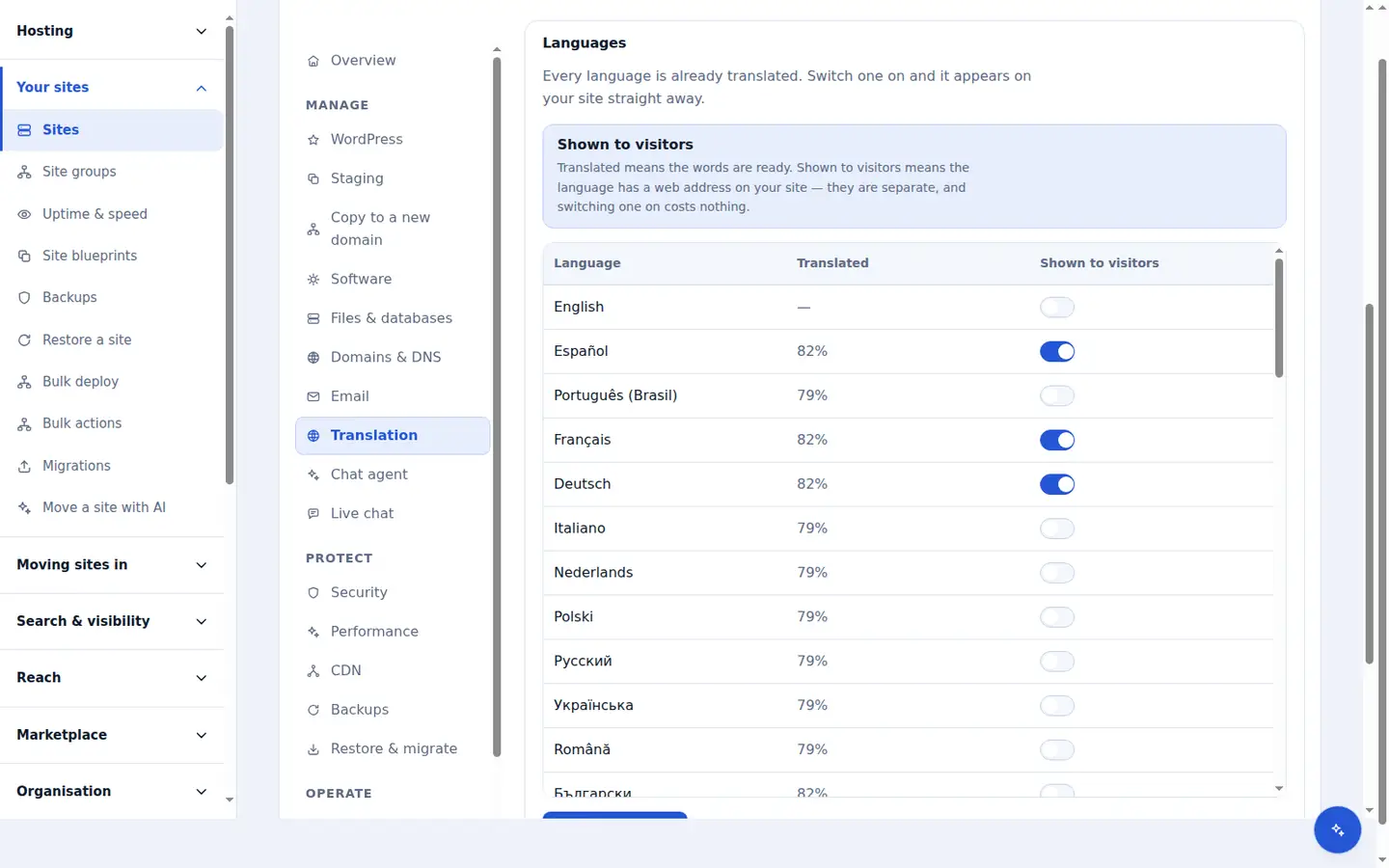
Most website translators change the words a visitor sees. Zinn® Translate also changes the parts a search engine reads, so each language can rank in its own market.
All 58 languages are translated whichever tier you choose. You pay for the size of your site, so reaching one more market never costs one more subscription.
A German visitor reads /de/preise, not /de/pricing. Translated slugs carry the keywords people search for, and the untranslated address keeps working by redirecting permanently.
Every translated page links to each of its siblings with hreflang and x-default, declares its own language, and is listed in a sitemap for that language.
SEO titles and descriptions, OpenGraph and Twitter cards, JSON-LD, image alt text, breadcrumbs, menus, categories and tags are translated along with the page.
Translations are stored in your own WordPress database and rendered by your own server, so a crawler that never runs JavaScript still reads every language.
Each string is cached against a hash of its source text. Fix a typo and only that sentence is translated again; resave a page without changing a word and nothing is.
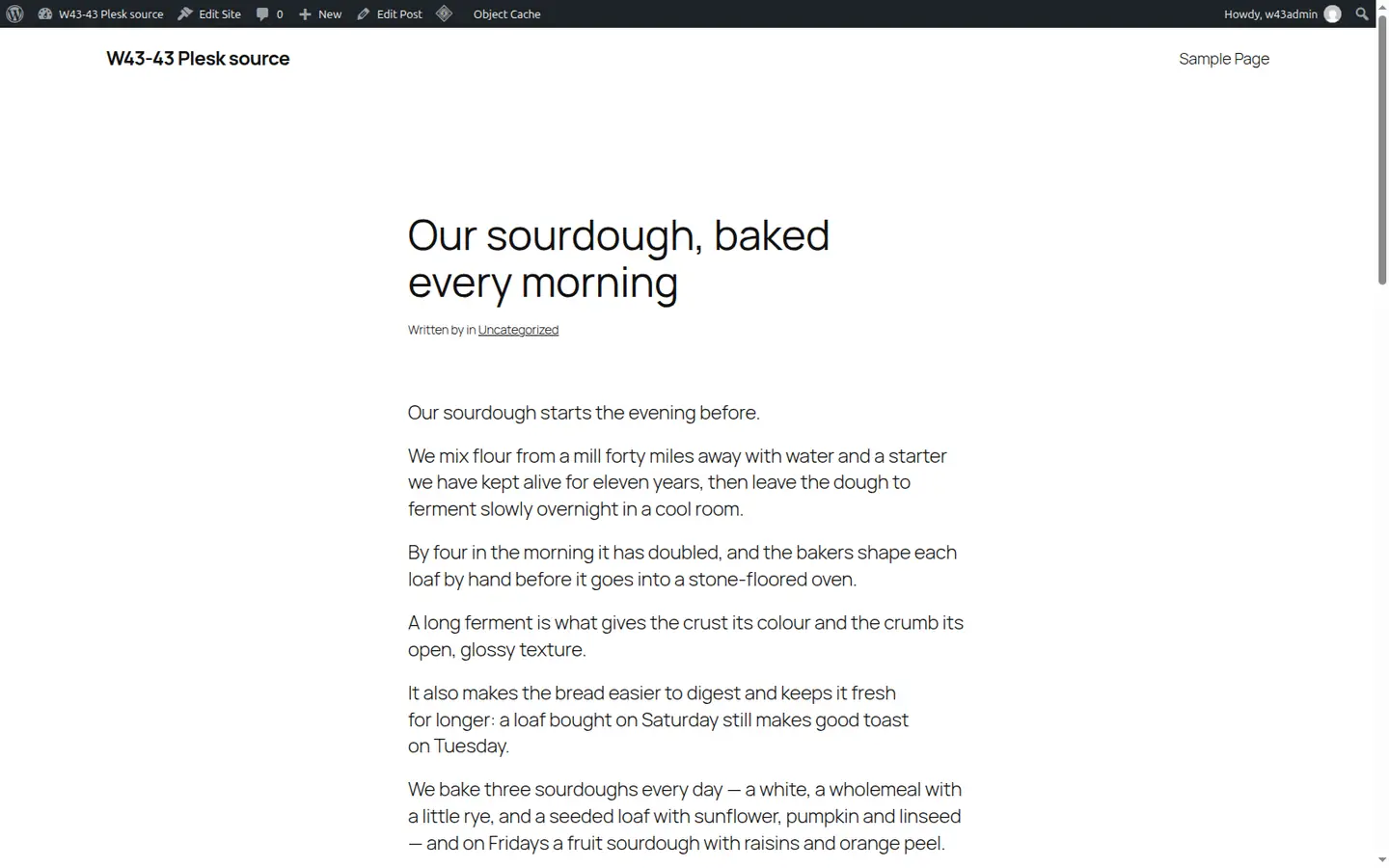
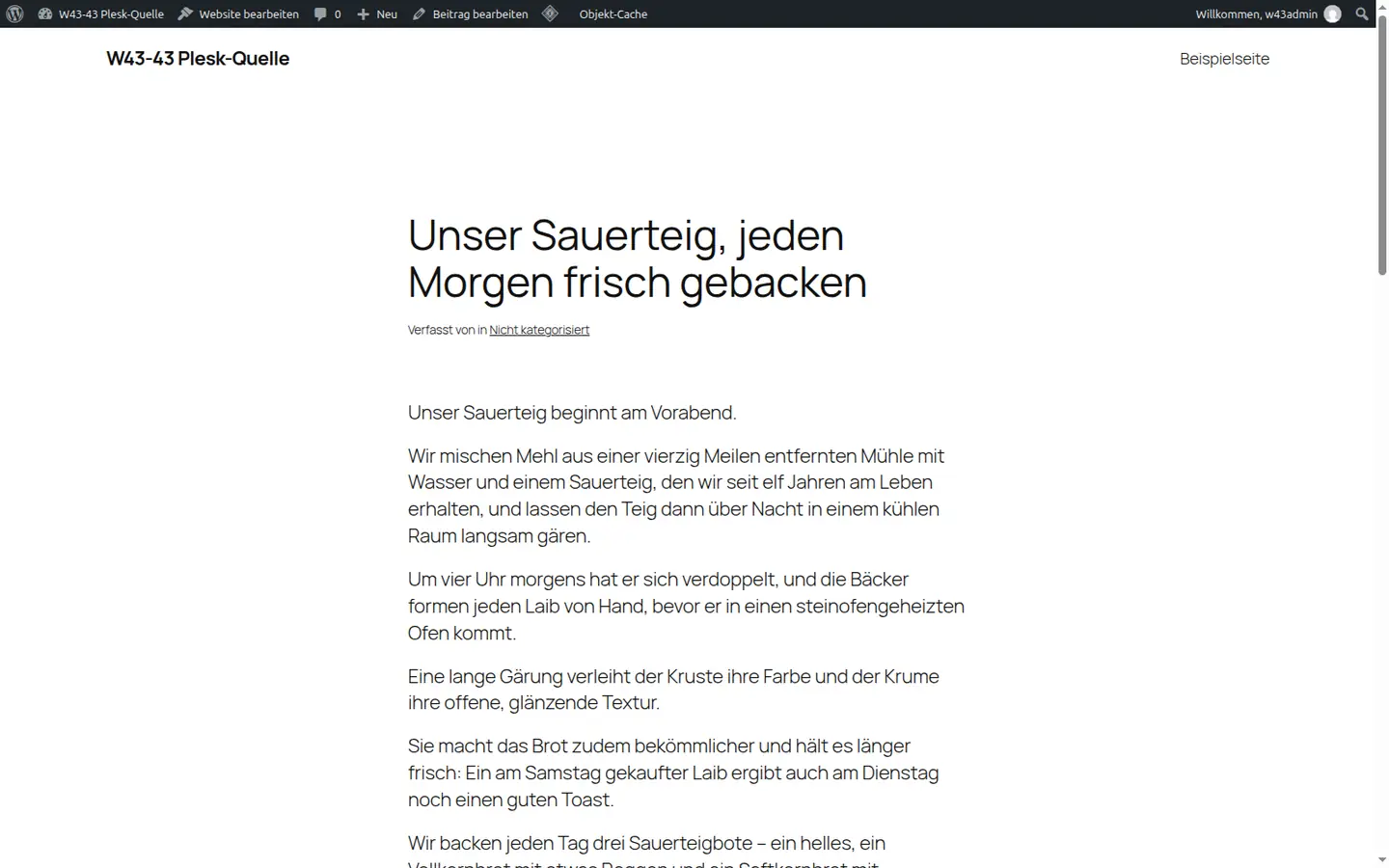
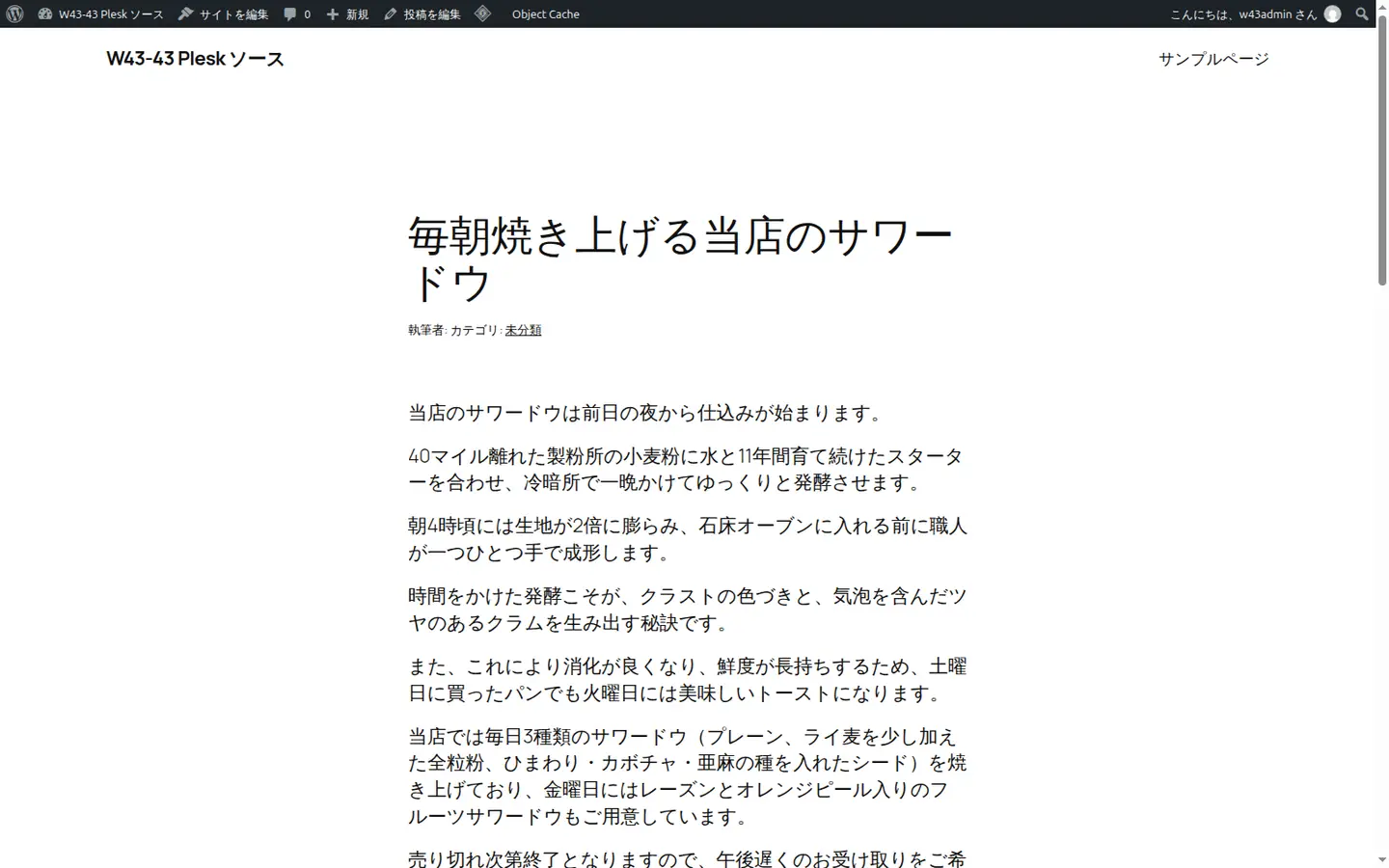
These are real screenshots of one WordPress site running the Zinn® Translate plugin: the English original, then German, Japanese and Arabic at their own addresses. The theme, the layout and the post are the same; the words, the direction and the address change.
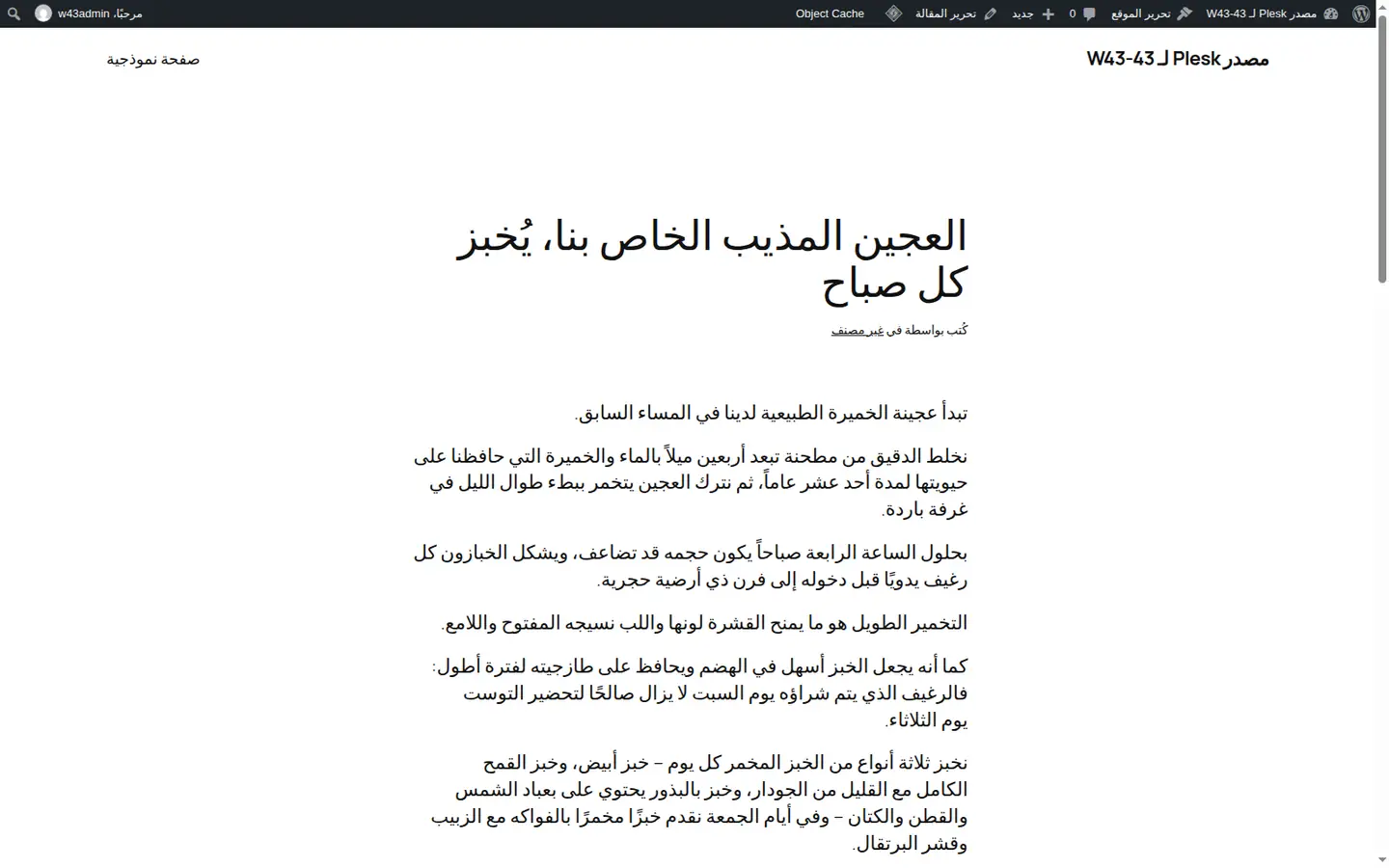
This website is translated by the same pipeline you would be buying. These are real strings from it, in English and as they were translated.
| English (the source) | Translated | |
|---|---|---|
| Web address | https://zinntranslate.com/pricing | https://zinntranslate.com/de/preise |
| SEO title | Website translation pricing, with every language in every tier | Preise für Website-Übersetzung, mit allen Sprachen in jedem Tarif |
| Meta description | Translate your whole website into every language we support. Pricing is set by how many words your site has, not by how many languages you publish. | Übersetzen Sie Ihre gesamte Website in jede von uns unterstützte Sprache. Der Preis richtet sich nach der Anzahl der Wörter auf Ihrer Website, nicht nach der Anzahl der Sprachen, in denen Sie veröffentlichen. |
| Image alt text | A price table for website translation with three tiers sized by word count | Eine Preistabelle für die Website-Übersetzung mit drei nach Wortanzahl gestaffelten Stufen |
| Breadcrumb label | Pricing | Preise |
| hreflang tag | <link rel="alternate" hreflang="de" href="https://zinntranslate.com/de/preise"> | |
Switch this site to another language with the selector at the top of the page to see the same strings in that language.
Open the site's Translation tab in your Zinn Digital® dashboard. We read its pages and posts and count the words to translate, which tells you which tier fits. Nothing on your live site changes.
Your content is translated into all 58 languages — body copy, metadata and slugs — and kept up to date as you edit. Every language is ready before you publish any of them.
Install the free Zinn® Translate plugin, paste the site's ID and an API key from your dashboard, then switch on the languages to publish on the site's Translation tab. Each goes live on its own address within the hour.
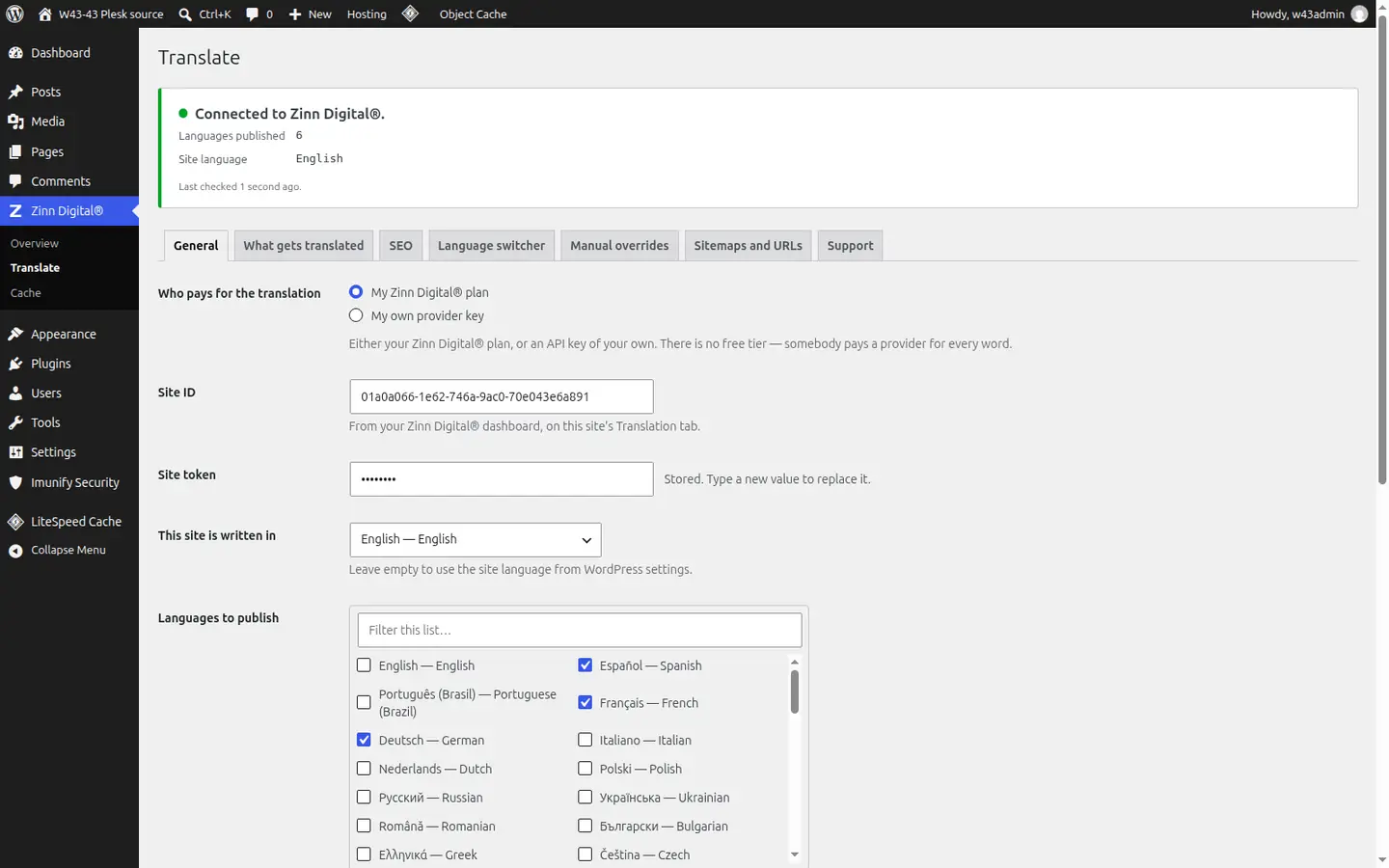
Connect the site, choose what gets translated, and publish the languages you want — all from the plugin's settings in your WordPress admin.
One subscription per site, sized by the words on it. All 58 languages are included in every tier.
Brochure sites, small businesses and portfolios
$19per month
Content-heavy sites, long-running blogs and documentation
$59per month
WooCommerce stores and large enterprise sites
$199per month
Prices exclude VAT. Tax is added at checkout based on your country.
Side by side with the translation tools people usually consider, using figures from their own pricing pages.
No. Every tier includes all 58 languages. The price is set by how many words your site has, counted once in its own language, so publishing another language never changes your bill.
Zinn® Translate is built for WordPress, including WooCommerce stores. Translations are served by the free Zinn® Translate plugin running on your site. The site can be hosted with us, with another provider or on your own servers.
That is the point of it. Each published language is rendered by your own server at its own address, with a translated slug, hreflang tags linking every version, and its own sitemap listed in /zinn-sitemap-index.xml. Crawlers see real pages, not a script that swaps words after the page loads.
Translated means the words exist, stored and kept up to date. Published means visitors and search engines can reach that language at its own address. Every language is translated; you choose which are published, and switching one on or off is instant.
Only the text that changed is marked out of date and translated again. Unchanged text is served from a cache keyed on its source, so a small edit costs a small amount of work and resaving without changing words costs nothing.
Yes. Edit any string on the plugin's Manual overrides screen. A string you edited is marked as yours and is never overwritten by a later re-translation.
It does not create duplicate posts or pages. Translations are kept in one table in your own WordPress database and applied as each page renders, so deactivating the plugin returns your site to exactly what it was — and keeps the translations in case you switch it back on.
When you open a site's Translation tab we read it and show the word count before you pay. Standard covers up to 50,000 words for $19 a month, Large or complex up to 250,000 for $59, and Shop or enterprise up to 1,000,000 for $199.
Yes. The free plugin works with your own Google Gemini, DeepL or OpenAI key, with no Zinn Digital® account. The provider bills you directly for the words it translates.
No. A free Zinn Digital® account is all you need to buy Site Translation. If you host with us as well, the site and its translation are managed in the same dashboard and billed on the same invoice.
Better together
Zinn® Translate works wherever your WordPress site is hosted, and it needs no hosting plan. Host with us as well and the site, its translation and everything else sit in one dashboard on one invoice.