 Zinn® Translate
Translate with your own API key
Use the free plugin with your own Google Gemini, DeepL or OpenAI key, with no Zinn Digital® account.
The plugin can translate your site on its own, billed to you by the provider you choose. There is no free translation tier — somebody pays a provider for every word, and in this mode that is you, directly.
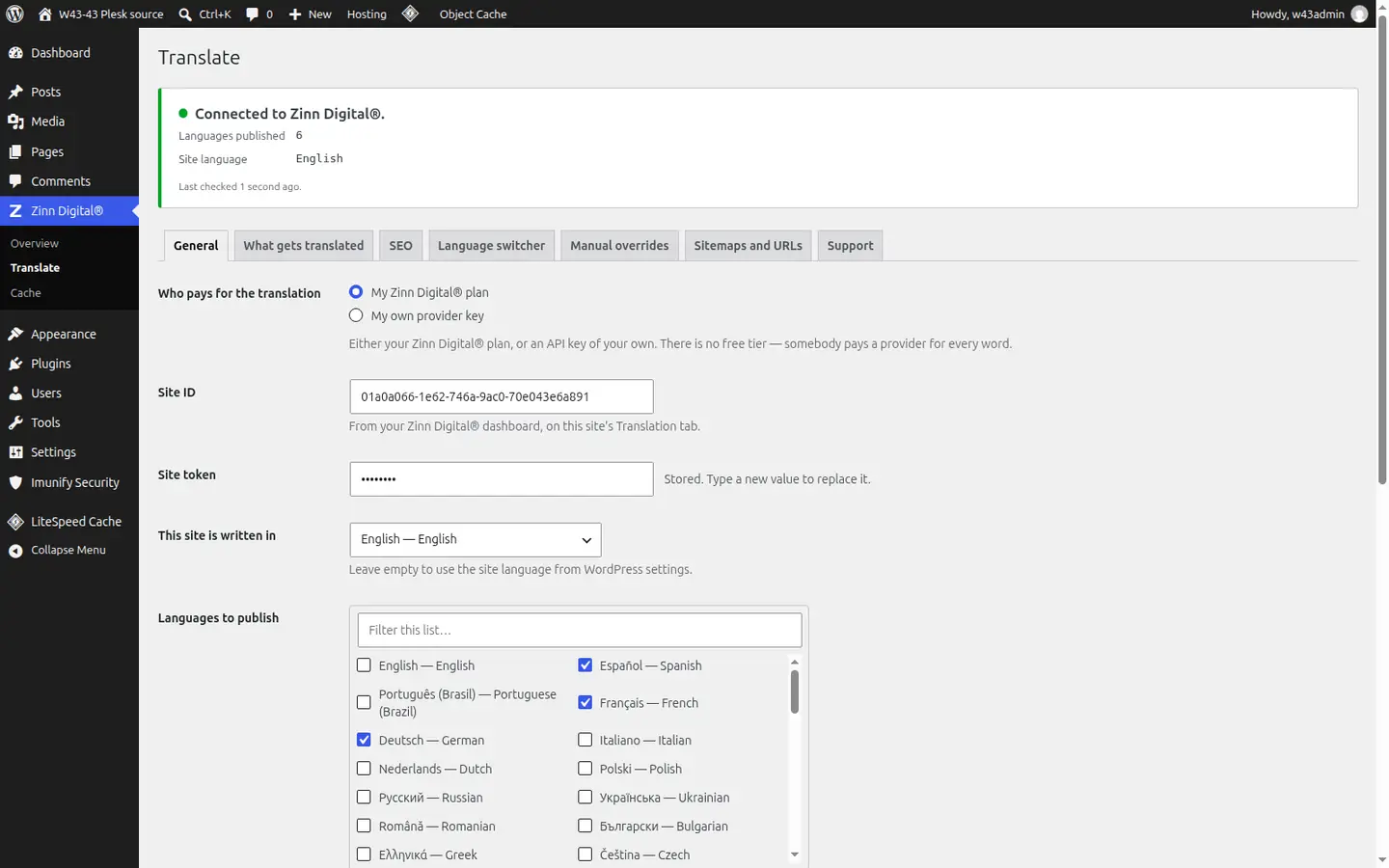
Choose My own provider key
In Zinn Digital® → Translate, under Who pays for the translation, choose My own provider key.
Pick a provider and paste your key
Choose Google Gemini, DeepL or OpenAI as the Provider and paste your API key. It is stored on your site and sent only to that provider.
Optionally choose a model
Leave Model empty to use the cheapest model that does the job well, or name one.
Publish languages as usual
Everything else — slugs, hreflang, sitemaps, the switcher and manual overrides — works the same as with a Zinn Digital® plan.
Better together
Host the site you translate with Zinn Digital®
Zinn® Translate works wherever your WordPress site is hosted, and it needs no hosting plan. Host with us as well and the site, its translation and everything else sit in one dashboard on one invoice.
- The Zinn® Translate plugin is free on any WordPress site, hosted with us or anywhere else
- WordPress and WooCommerce hosting on our own servers, with a CDN
- One account and one invoice for hosting, translation and every other product