 Zinn® Translate
hreflang tags and per-language sitemaps
How translated pages are tied together with hreflang and listed in a sitemap for each language.
Search engines need to know that your English, German and Japanese pages are versions of each other, not duplicates. That is what hreflang and per-language sitemaps tell them.
hreflang on every page
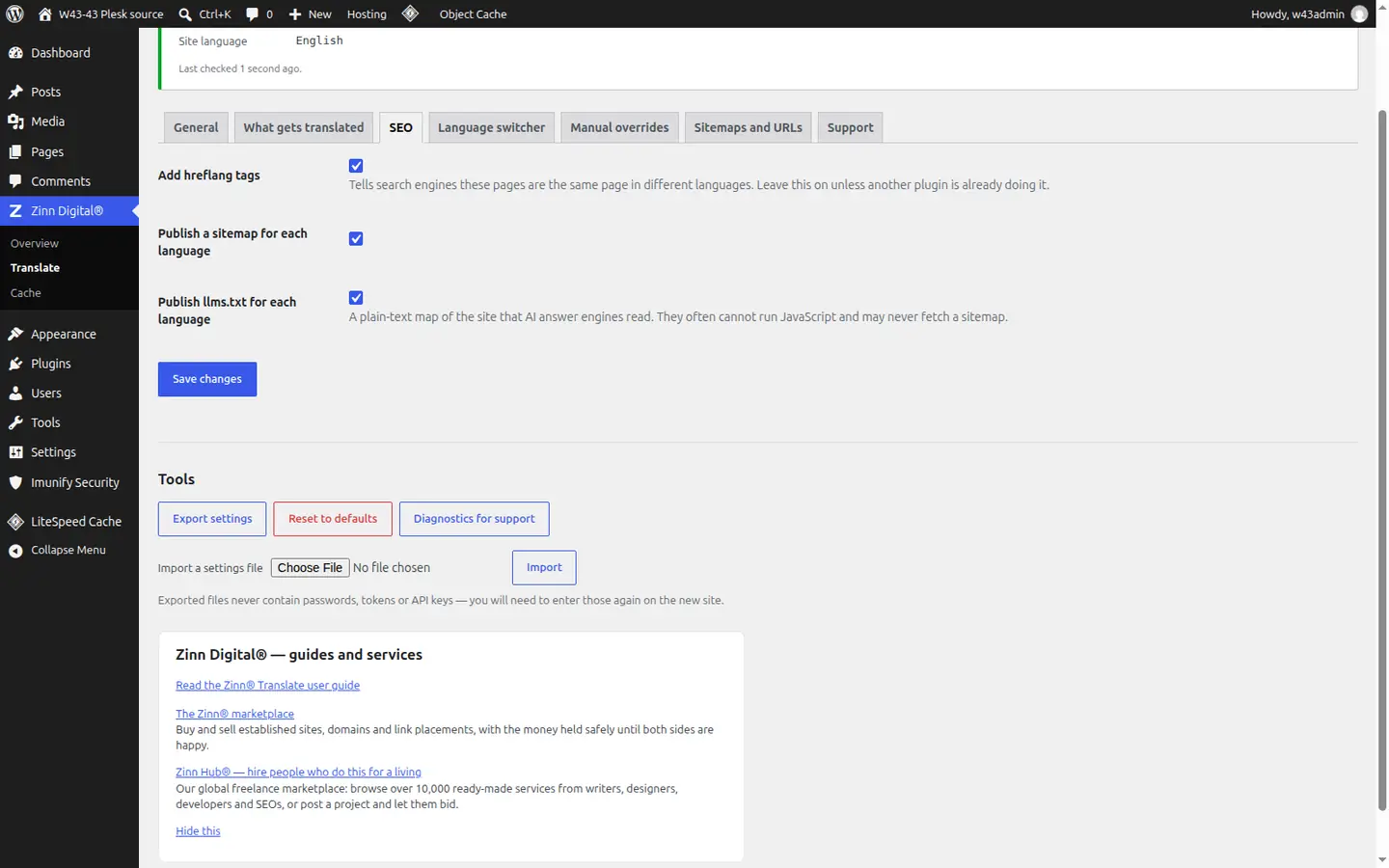
On the SEO tab, with Add hreflang tags on, every page links to each of its published translations, to itself, and to an x-default version. The page also declares its own lang, with dir="rtl" for right-to-left languages.
The canonical stays with the translation
A translated page's canonical points at that translated page, never back at the original, so each language is indexed as itself.
A sitemap for each language
With Publish a sitemap for each language on (SEO tab), each language has its own sitemap, all listed in /zinn-sitemap-index.xml, which is added to your robots.txt alongside anything already there.
Submit the index to search engines
Submit /zinn-sitemap-index.xml in Google Search Console and Bing Webmaster Tools so every language is discovered, not just the ones a crawler happens to follow a link to.
Better together
Host the site you translate with Zinn Digital®
Zinn® Translate works wherever your WordPress site is hosted, and it needs no hosting plan. Host with us as well and the site, its translation and everything else sit in one dashboard on one invoice.
- The Zinn® Translate plugin is free on any WordPress site, hosted with us or anywhere else
- WordPress and WooCommerce hosting on our own servers, with a CDN
- One account and one invoice for hosting, translation and every other product