 Zinn® Translate
Translated URL slugs and redirects
How each language gets its own translated web address, and how the original address keeps working.
A page's address is part of what ranks it. Translated slugs give each language a readable, keyword-carrying path instead of an English one behind a language code.
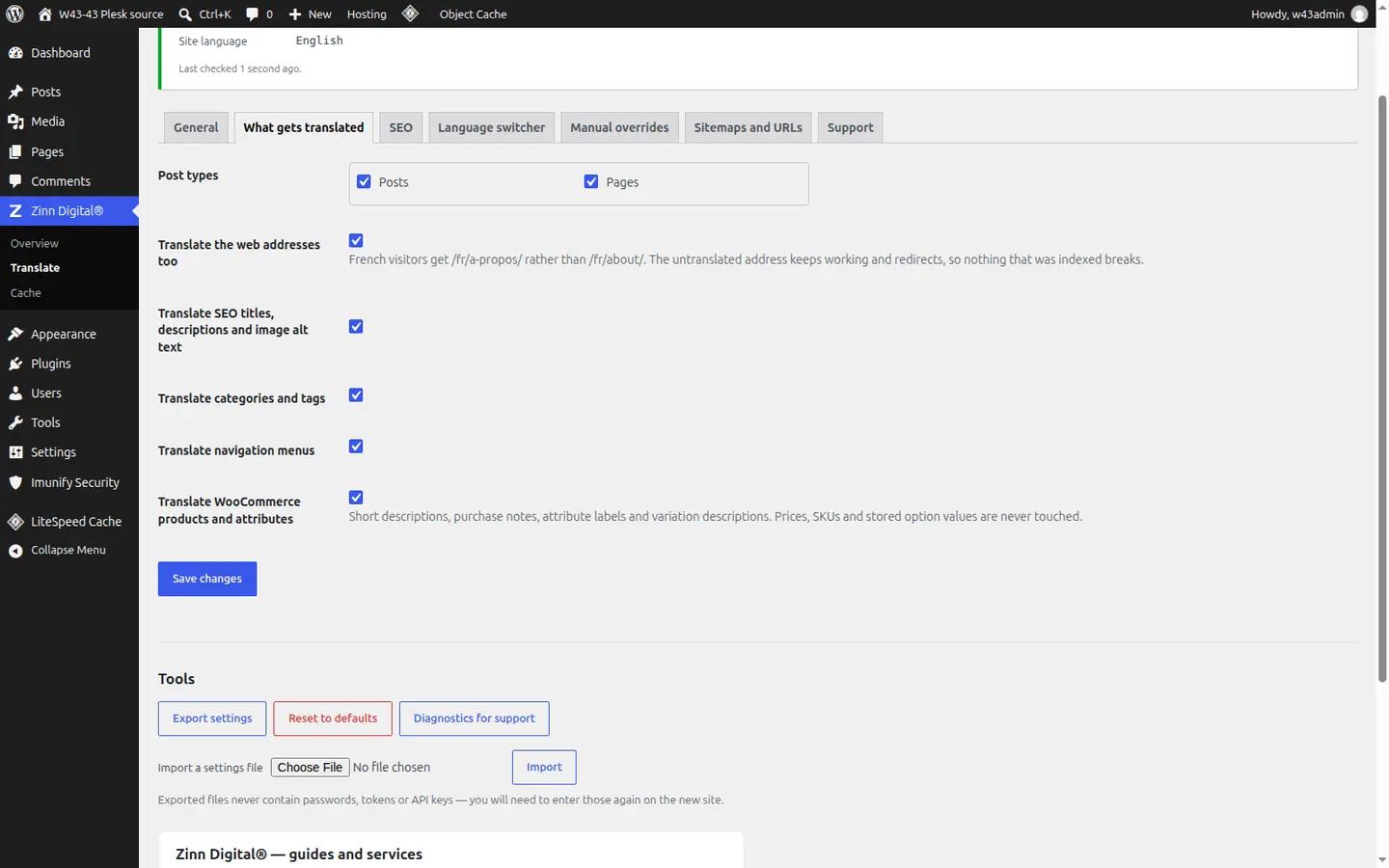
Turn on translated addresses
In Zinn Digital® → Translate, on the What gets translated tab, make sure Translate the web addresses too is switched on.
Each language gets its own path
An English page at /about/ is served in French at /fr/ with the French slug, rather than /fr/about/.
Old addresses redirect permanently
The untranslated address in a language redirects permanently to the translated one, so links already shared keep working.
Re-translated slugs redirect too
If a later re-translation changes a slug, the previous address redirects to the new one, so an address a search engine has already indexed is never left broken.
Better together
Host the site you translate with Zinn Digital®
Zinn® Translate works wherever your WordPress site is hosted, and it needs no hosting plan. Host with us as well and the site, its translation and everything else sit in one dashboard on one invoice.
- The Zinn® Translate plugin is free on any WordPress site, hosted with us or anywhere else
- WordPress and WooCommerce hosting on our own servers, with a CDN
- One account and one invoice for hosting, translation and every other product