 Zinn® Translate
Add a language switcher
Let visitors change language with a shortcode, block, widget or menu item in one of six styles.
Visitors need an obvious way to find their language. The switcher is one control you can place four ways.
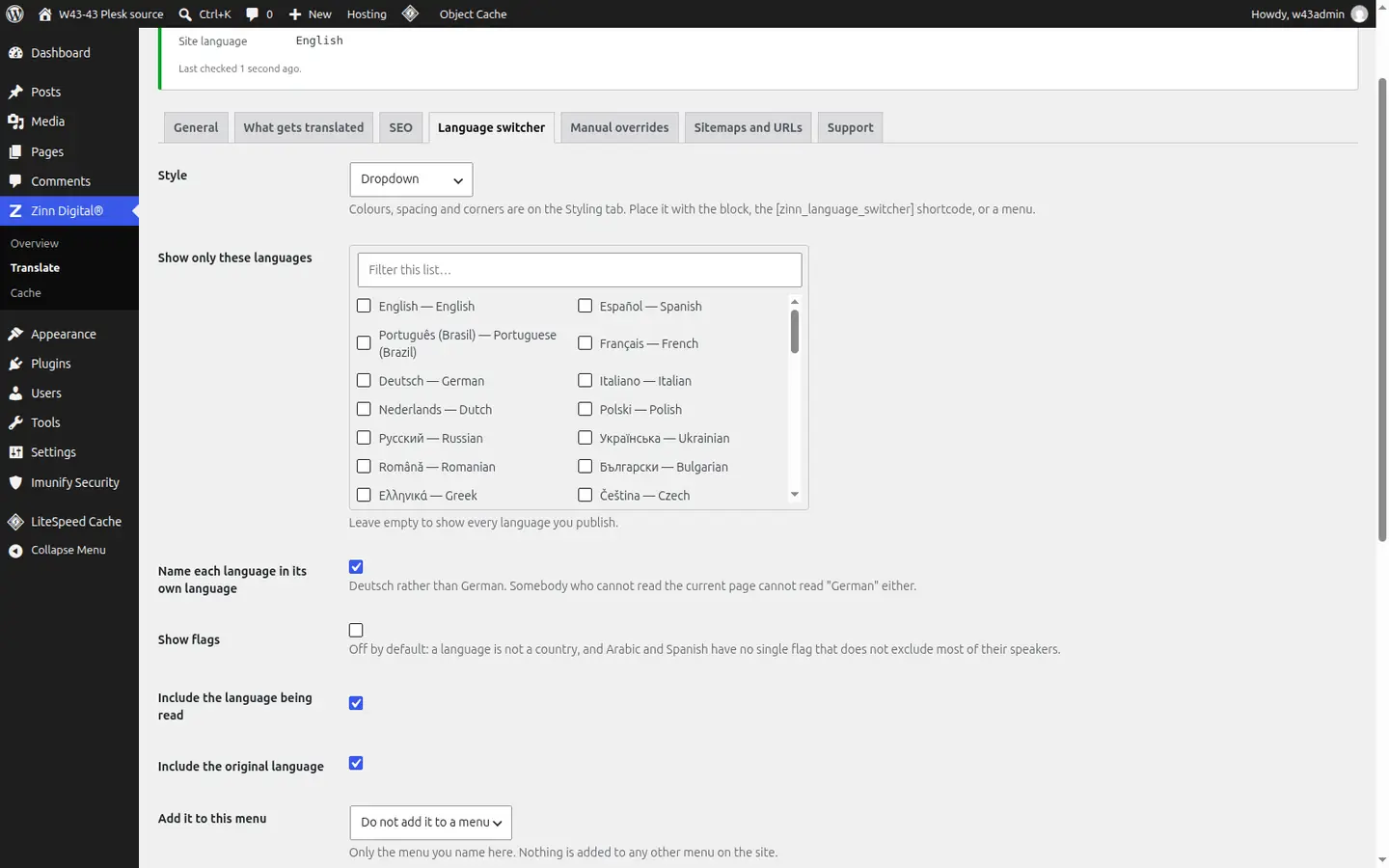
Place it
Use the shortcode [zinn_language_switcher], the block or the widget, or choose a menu on the Language switcher tab in Zinn Digital® → Translate to add it there.
Choose a style
Pick Dropdown, Inline list, Pills, Minimal text, Flags and names or Stacked list. Turn on Use my own colours and sizes to adjust accent, background, text, spacing, corner radius and text size.
Choose which languages it lists
Show only these languages narrows the list; leave it empty to show every language you publish. Include the original language adds your site's own language.
Choose how languages are named
Name each language in its own language shows Deutsch rather than German. Show flags adds a flag beside each name.
Right-to-left and keyboard ready
The switcher lays itself out correctly in right-to-left languages and can be used entirely from the keyboard, with a visible focus ring.
Better together
Host the site you translate with Zinn Digital®
Zinn® Translate works wherever your WordPress site is hosted, and it needs no hosting plan. Host with us as well and the site, its translation and everything else sit in one dashboard on one invoice.
- The Zinn® Translate plugin is free on any WordPress site, hosted with us or anywhere else
- WordPress and WooCommerce hosting on our own servers, with a CDN
- One account and one invoice for hosting, translation and every other product