 Zinn® Translate
Install the Zinn® Translate plugin
Install the free WordPress plugin and connect it to your site's translations with the site's ID and an API key.
The translations exist as soon as we have read your site, but visitors only see them once the free Zinn® Translate plugin is running on your WordPress site.
Download and activate the plugin
Download Zinn® Translate from the Zinn Digital® plugins page, upload it under Plugins → Add Plugin → Upload Plugin in WordPress, and activate it. It needs WordPress 6.6 or later and PHP 8.2 or later.
Open Zinn Digital® → Translate
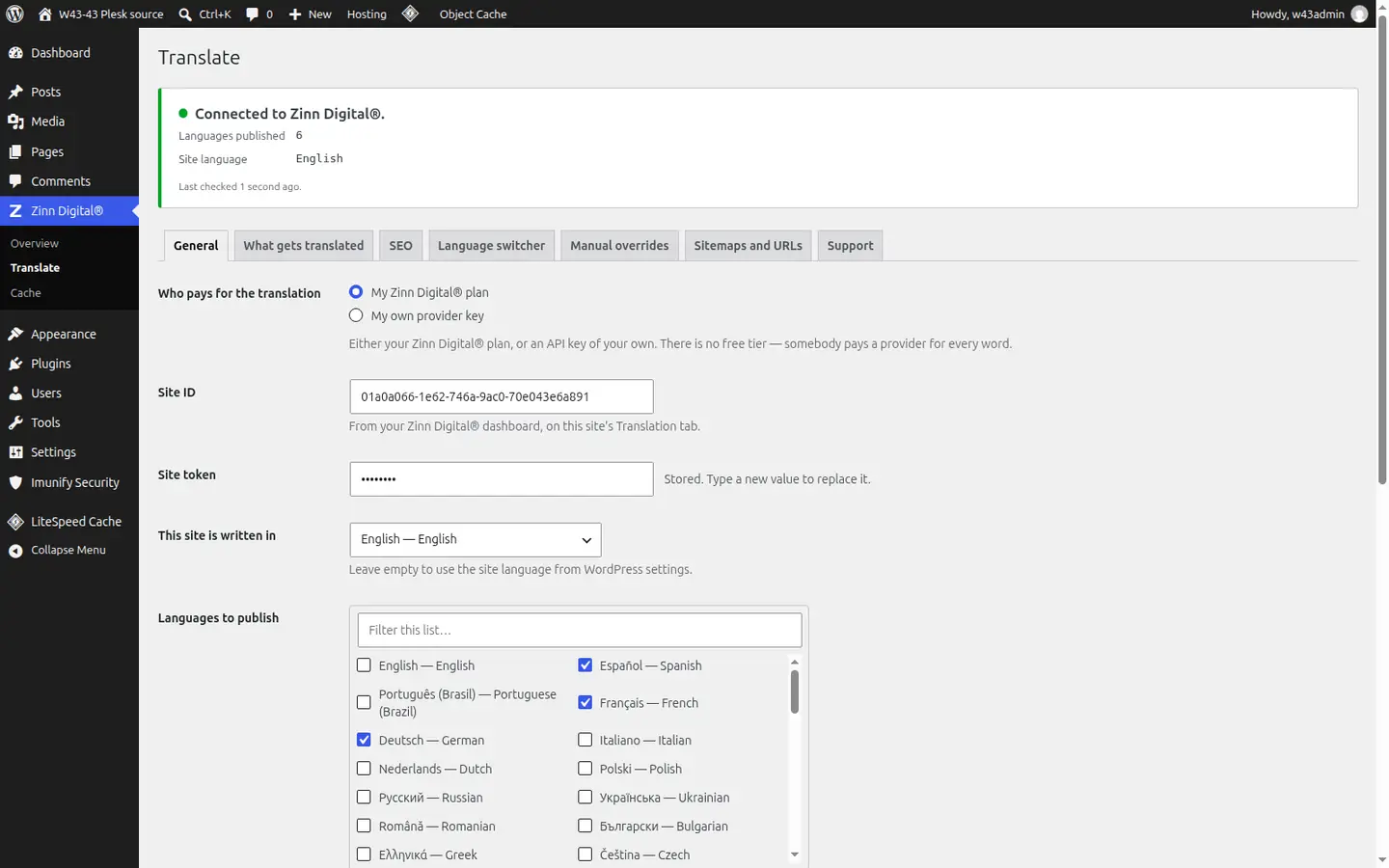
The plugin adds its settings under the Zinn Digital® menu in your WordPress admin, in seven tabs: General, What gets translated, SEO, Language switcher, Manual overrides, Sitemaps and URLs, and Support.
Choose My Zinn Digital® plan
Under Who pays for the translation, choose My Zinn Digital® plan. The other choice, My own provider key, is for translating with your own API key instead.
Paste the Site ID and an API key
Copy the Site ID shown under How it reaches your visitors on the site's Translation tab into Site ID. Then open API keys in your dashboard, create a key with the sites.view and sites.translation.manage permissions, and paste it into Site token. Save.
Set the site's language
Check This site is written in. Leave it empty to use the language set in WordPress's own settings.
Better together
Host the site you translate with Zinn Digital®
Zinn® Translate works wherever your WordPress site is hosted, and it needs no hosting plan. Host with us as well and the site, its translation and everything else sit in one dashboard on one invoice.
- The Zinn® Translate plugin is free on any WordPress site, hosted with us or anywhere else
- WordPress and WooCommerce hosting on our own servers, with a CDN
- One account and one invoice for hosting, translation and every other product