 Zinn® Translate
Choose which languages to publish
Every language is translated; choose which ones your WordPress site publishes, and change them at any time.
Translated and published are different things. Every language is translated for you; publishing a language in the Zinn® Translate plugin is what makes it visible at its own address.
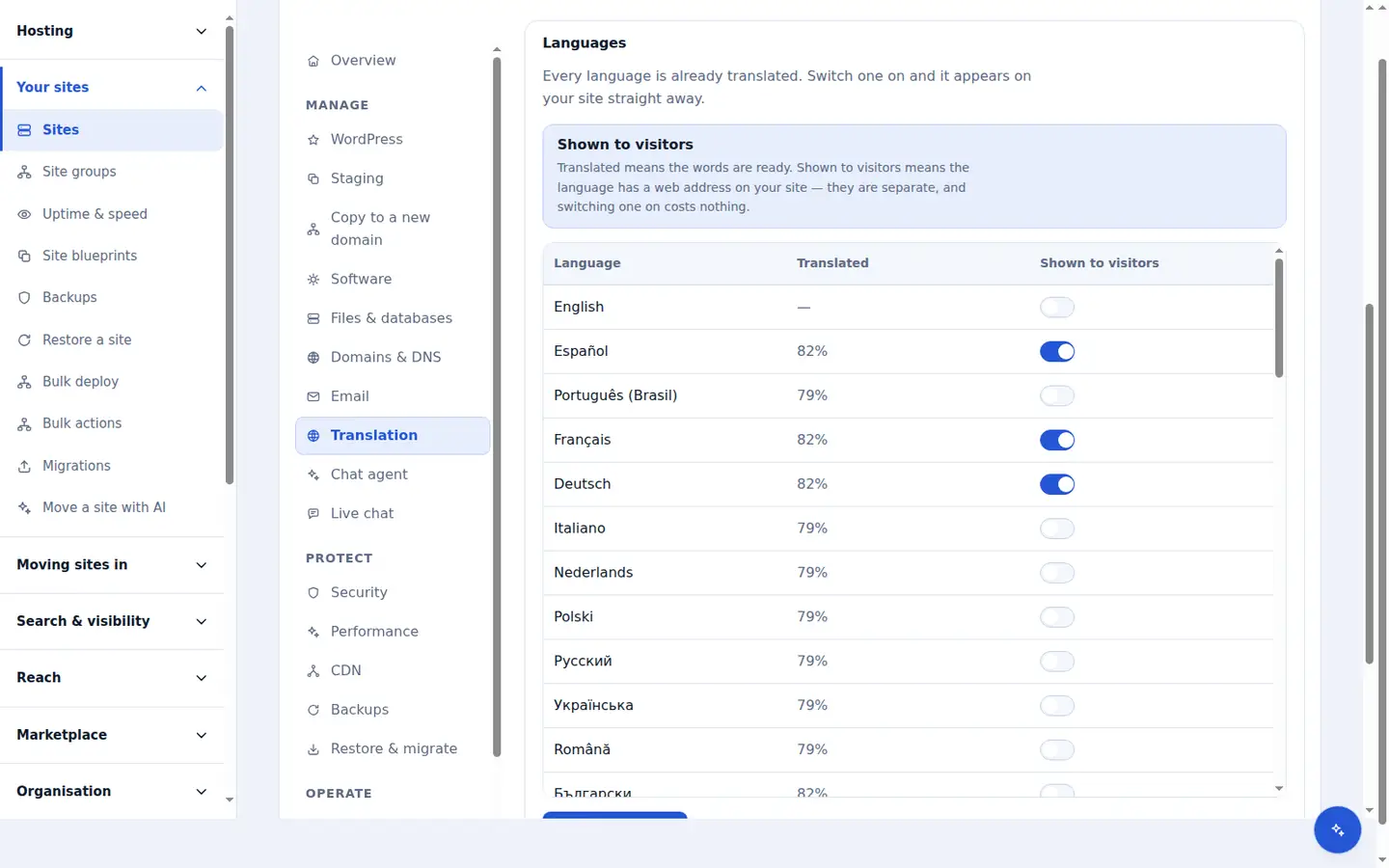
See how far each language has got
On the site's Translation tab in your dashboard, the Languages table shows how much of the site has been translated into each language.
Switch languages on in your dashboard
On the same Languages table, switch on Shown to visitors for each language you want and choose Save languages. The plugin on your site reads that choice every hour, straight after it is connected, and whenever you open its settings. Publishing a language also installs WordPress's own language packs for it, so your theme's buttons appear in that language.
Check the new address
Each published language is served under its language code — for example /de/ for German — with its translated slugs and hreflang tags in place.
Unpublish whenever you like
Switch a language off under Shown to visitors and save to hide it from visitors and search engines. Its translations are kept, so switching it back on costs nothing. If you translate with your own API key instead of a Zinn Digital® plan, choose the languages under Languages to publish in Zinn Digital® → Translate.
Better together
Host the site you translate with Zinn Digital®
Zinn® Translate works wherever your WordPress site is hosted, and it needs no hosting plan. Host with us as well and the site, its translation and everything else sit in one dashboard on one invoice.
- The Zinn® Translate plugin is free on any WordPress site, hosted with us or anywhere else
- WordPress and WooCommerce hosting on our own servers, with a CDN
- One account and one invoice for hosting, translation and every other product